search
We recently made a change to help you quickly differentiate between historical* and current documents in SameGoal. Historical documents now appear grayed out and include a note that says “HISTORICAL”. This will make it easier to scan a list page and easily determine which documents are active and which are from previous years.
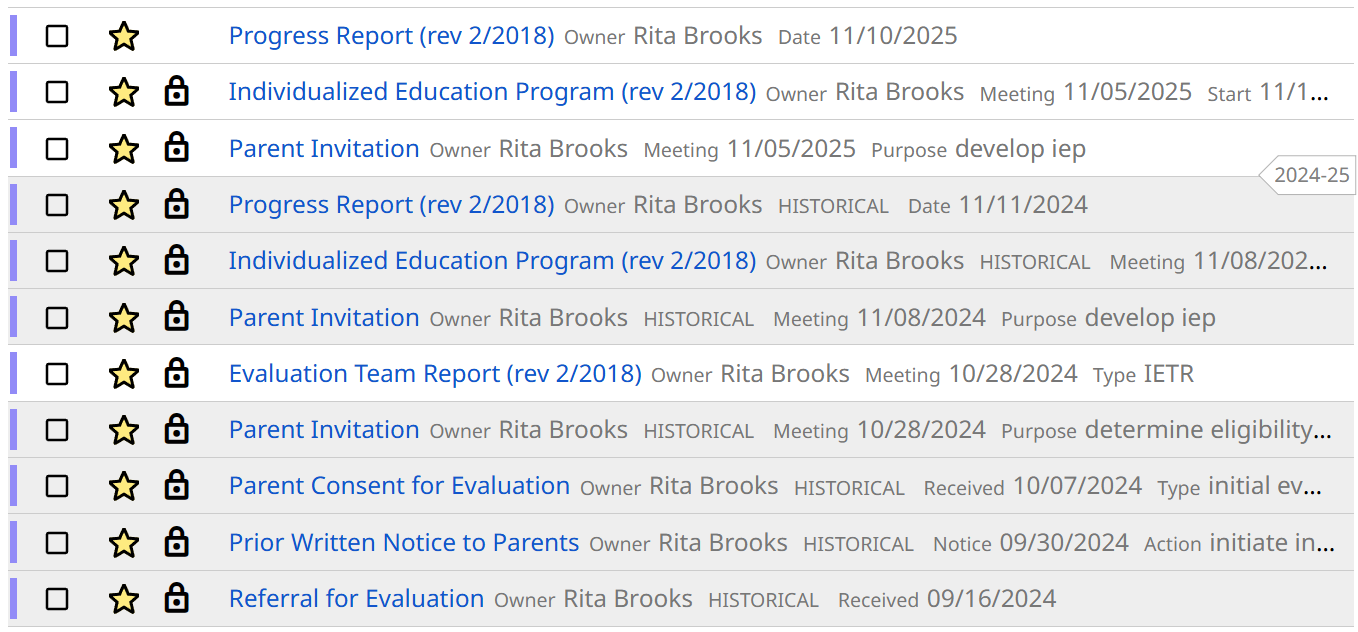
We also added a new filter option within the Documents filter. You can now filter by Current or Historical documents. Both options are selected by default, but you can narrow down the results depending on what you need to find.
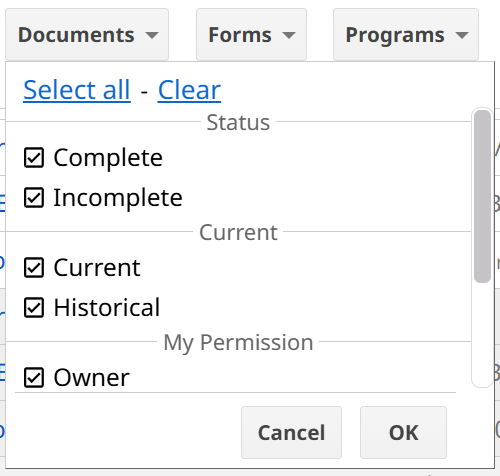
This improvement makes it much easier to spot the document you actually need. With many students having multiple documents across multiple years, it can be challenging to know at a glance which one is the right version. Improved visibility and differentiation will help you quickly identify the correct document.
* Documents are considered historical after their end date. If a document does not have an end date, it becomes historical one year after the primary date for most form types, or three years after the primary date for evaluation documents that remain effective for a three-year period.