search
Single Sign-On (SSO) is an authentication process that allows a user to log in to multiple websites or programs using one username and password. SameGoal supports multiple SSO methods including, OIDC, ClassLink, and LDAP.
Currently, when new SameGoal accounts are created using SSO, we do not send new account creation emails. This is because districts often bulk load new users before they want the new users to log in. In this case, it can be confusing for the new users if they receive an email prompting them to log in before they are meant to.
However, sometimes it is helpful for emails to be sent to new SSO users upon account creation, especially if the new users should log in right away. In order to allow districts to choose whether emails should be sent to new users, a new option has been added to the District Information page that allows administrative users to set a preference for SSO account creation emails.
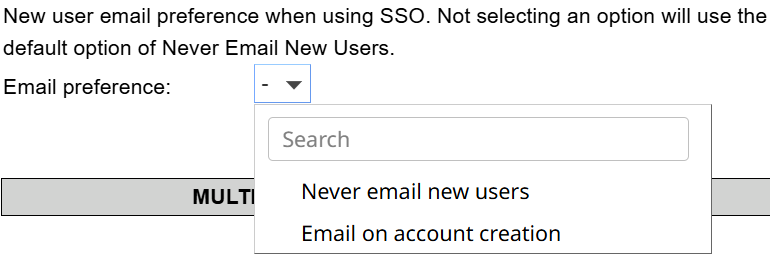
Changes will save automatically and will apply to any new account created moving forward.