search
It's important for district staff to understand their students' involvement in special programs in order to best support them as they work towards their measurable goals and outcomes. Some districts even require staff to sign off on applicable documentation for the students they work with to confirm they have received and reviewed the documents.
We have a new workflow on the way that will allow districts to configure which staff are responsible for acknowledging which forms and capture signatures from relevant staff, acknowledging they’ve received the documents. This new feature will be rolling out to districts on the PRO edition of SameGoal over the next several weeks.
This new “acknowledgement of receipt” feature will add the following functionality:
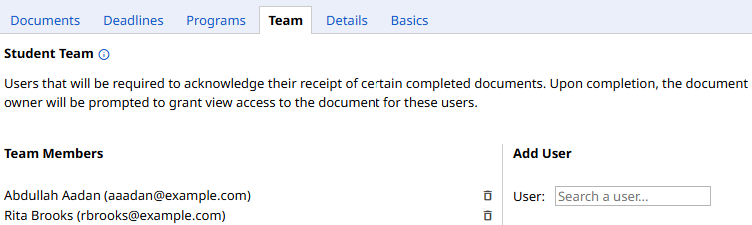
The student team for a student is a set of staff who work with that student who are responsible for reviewing relevant documentation for that student. Student team members will be required to acknowledge their receipt of certain completed documents.
There will be a new Team tab on a student’s page where team members for a given student can be viewed by users with an educational interest in the student and updated by administrative users. Administrative users can also manage student teams via bulk load.
Administrative users can control which forms (if any) will require acknowledgement by updating the form settings. When a form type requires acknowledgement, any time a document of that form type is marked complete, all student team members for the student will be sent an Acknowledgement Required notification.
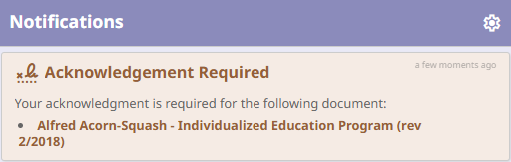
If a user clicks on the link in the notification, they will be brought to the applicable document and will be prompted to electronically sign off to acknowledge their receipt of the document. If the user does not have access to the document, they will be prompted to request document access.
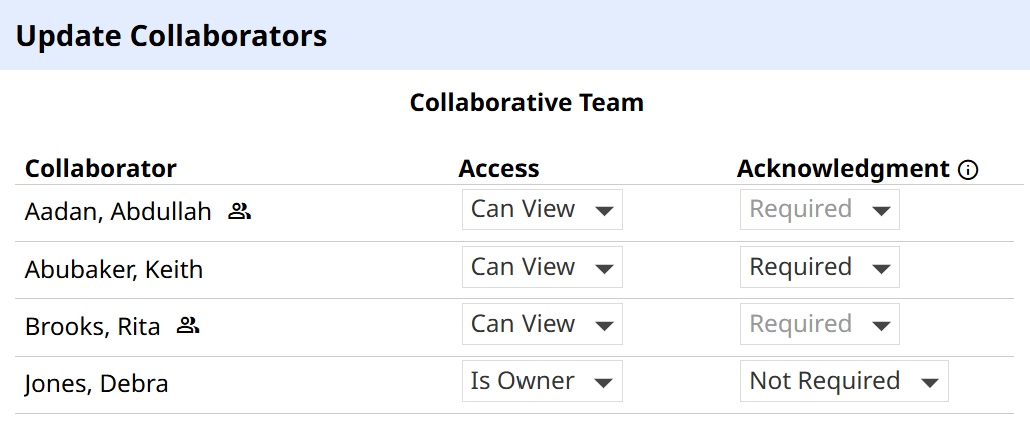
If a given form type doesn’t require acknowledgement, by default, student team members will not be required to acknowledge a document. Additionally, by default, users who are not part of the student team will not be required to acknowledge a document, even if acknowledgement is required for the form type.
However, if a user is not required to acknowledge a document by default, the document owner may choose to update the collaborative team and change a user’s acknowledgement status to Required. Any user with an acknowledgement status of Required will be sent an Acknowledgement Required notification upon document completion.
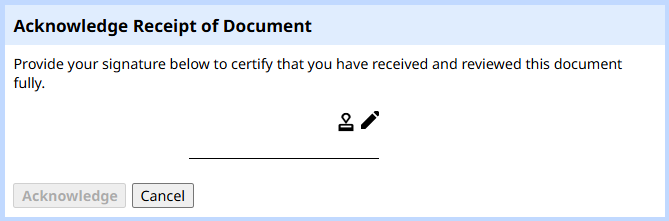
When acknowledging a document, there will be an Acknowledgement of Receipt panel at the bottom of the screen. Users can click on the Acknowledge button to add their signature.

Users can then electronically sign the way they would in any SameGoal document, including using a stored signature if they have one saved.
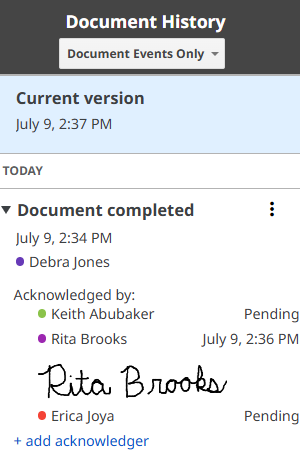
Acknowledgements are tracked directly in the Document History panel for a given document. Document History will show all required acknowledgers for a given document version, list their acknowledgement status, and display their signature if they’ve already acknowledged the document version. Anyone with at least view access to the document can access this information.
In addition to keeping records of acknowledgements in Document History, there is also an Acknowledgements of Receipt report that can be run to get a list of all requested acknowledgements and their statuses. This report can be found by going to Reports > System.